Pie: Free Events, Cool People
Mobile App Usability Study
Note: I do not work for or with Pie.
What is Pie?
Pie is a social app on a mission to combat social isolation by making it easy to find things to do and people to do them with, as easy as pie.
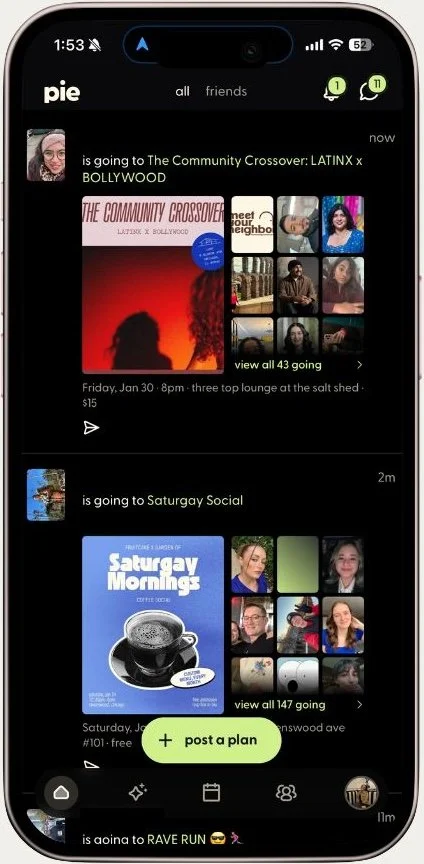
The Pie app includes a personalized feed to see free, local events your friends and friends-of-friends are going to. Event hosts are able to create and share private or public events. There is also an in-app chat to share photos and make plans with new friends and even a calendar sync, so you can organize all of your events.
The ask: Where does the Pie app's event discovery experience break down, and what prevents users from moving from browsing to attending events?
My role: UX Researcher
Skills used: Usability & evaluation, qualitative methods, communication & strategy, research frameworks
Overview
Finding 1
Finding 3
Findings
Broken Filters Prevent Event Discovery
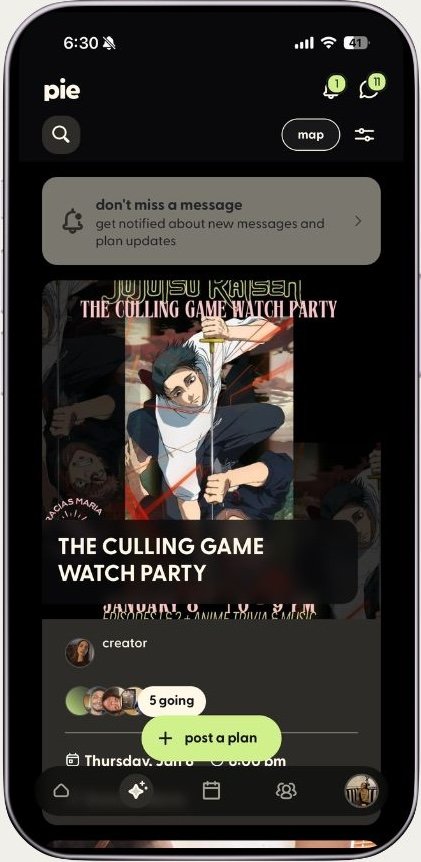
Users expected to filter events by type or date. Filters either malfunction (returning “no plans found” despite available events) or don’t exist for essential categories. Date filters offer vague ranges instead of specific dates. Newly created events don’t appear in the search results. Without working filters, users endlessly scrolled through unrelated events. 83% of participants requested better filtering.
Users cannot complete the app's primary task, directly causing low retention.
Navigation icons and feeds confuse core tasks
Icons differ from typical, universally recognized icons. Home feed presents an undifferentiated stream of random users’ plans and events outside of users’ interests. Users reported confusion between the two different event feeds, as well as the social feed’s purpose entirely. 66% of participants couldn’t locate search without help.
Users cannot initiate event discovery—the entry point to conversion is effectively hidden.
Finding 2
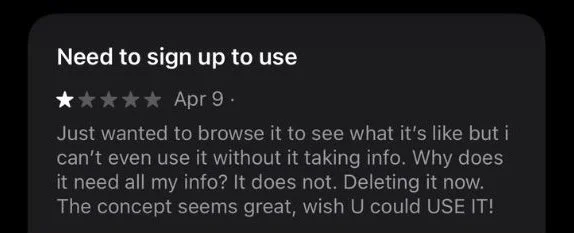
Forced Account Creation Blocks Event Discovery
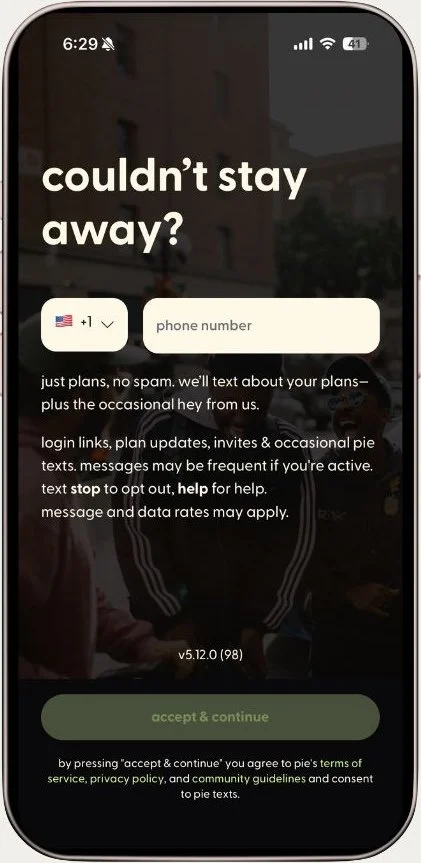
App requires users to make an account (name, photo, location permissions, social media) before viewing any events. Shared event links require app download and account signup, breaking viral loop when users try to invite friends. Multiple "skip" screens still require interaction, creating false promises of optional fields.
Potential users abandon before experiencing value while existing users cannot easily invite friends to events.
01 | Research
App Reviews
Reviewed app reviews posted within the last year in the Apple App Store and Google play Store. User reviews validated known pain points.
Research Process
02| Methods
6 Moderated Usability Tests
Semi-structured interviews with new and existing users via Zoom. Scenarios required users to act as either event host or attendee, performing a series of tasks to test both core workflows.
Apple App Store Reviews

03 | Analysis
Affinity Mapping and Task Analysis
Organized task observations into thematic clusters. Rated each issue by frequency and user impact. Task completion rates were measured as success (1 point), partial success (0.5 points), or failure (0 points).
04 | Synthesis
Competitive Framework
Analyzed user comparisons to other event apps (Eventbrite, Partiful, Instagram) to understand competitive context. Identified gaps between user expectations and app’s execution.
Google Play Store Reviews


Recommendations
These findings reveal fundamental misalignment between Pie’s interface and user needs:
Build features to enable basic event discovery. Implement working category filters (music, sports, co-working) and specific date selection.
Remove account creation requirement. Allow event browsing without registration, requiring accounts only for RSVP or event creation.
Redesign navigation to clarify feed purpose. Consolidate the two event feeds into one filterable view and add clear feed controls (Friends Only, Public Events, All).